You stay in control
From booking request to confirmed job.
Not every enquiry is a job worth taking. Requests arrive with the job, photos and the time they asked for. Book the ones you want in one tap.
Online booking form for electricians
A booking form that pops out on your website and Google profile. Customers pick the job, add photos and choose a time. Confirmations, reminders and review requests run themselves.
No lock-in contract Built free before you pay Book a demo call
Your form asks what you would ask on the phone, so every request lands ready to price and book.
EV chargers, panel upgrades, lighting, outlets and anything that has stopped working. Customers tap what they need and keep going.
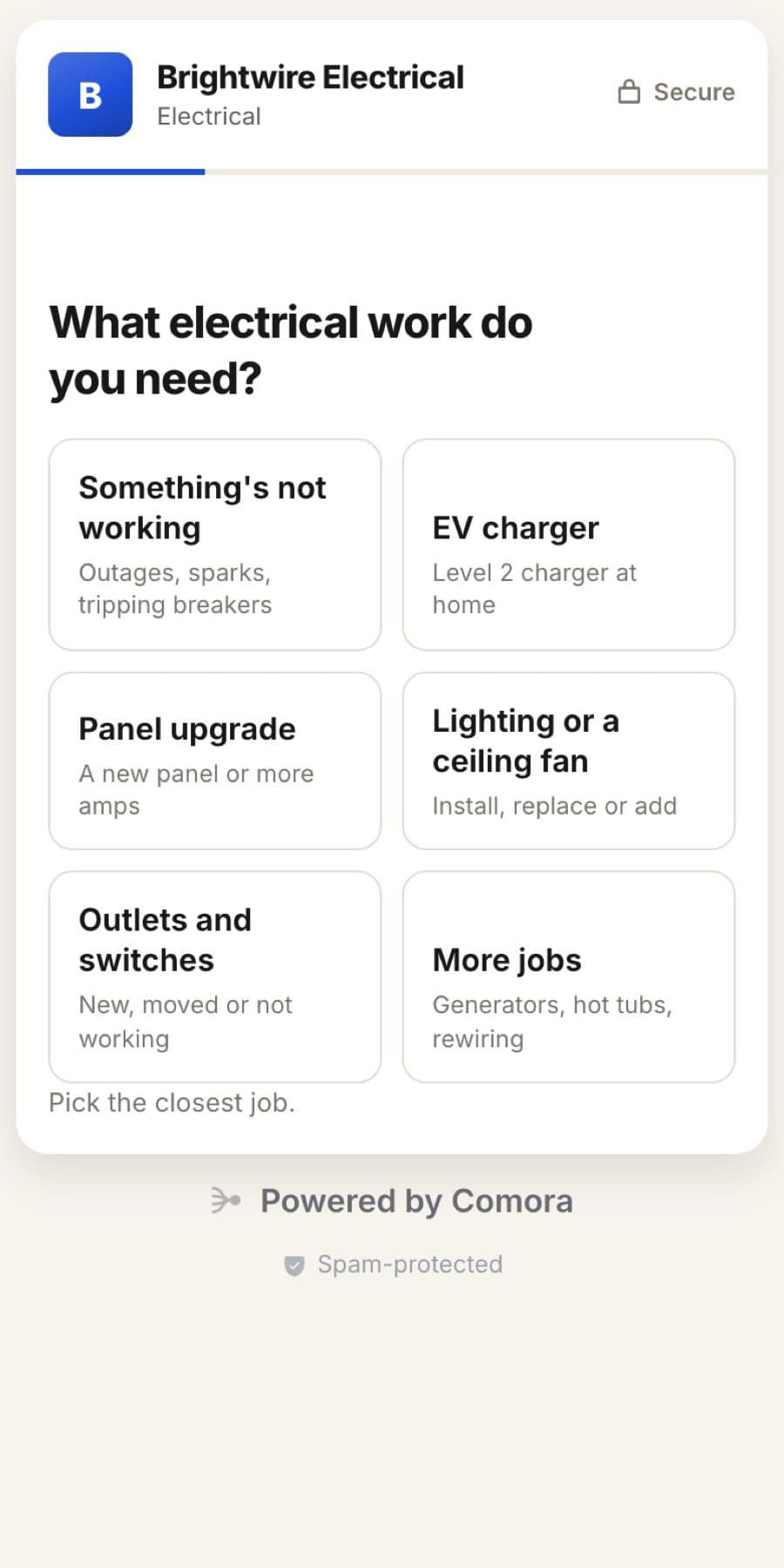
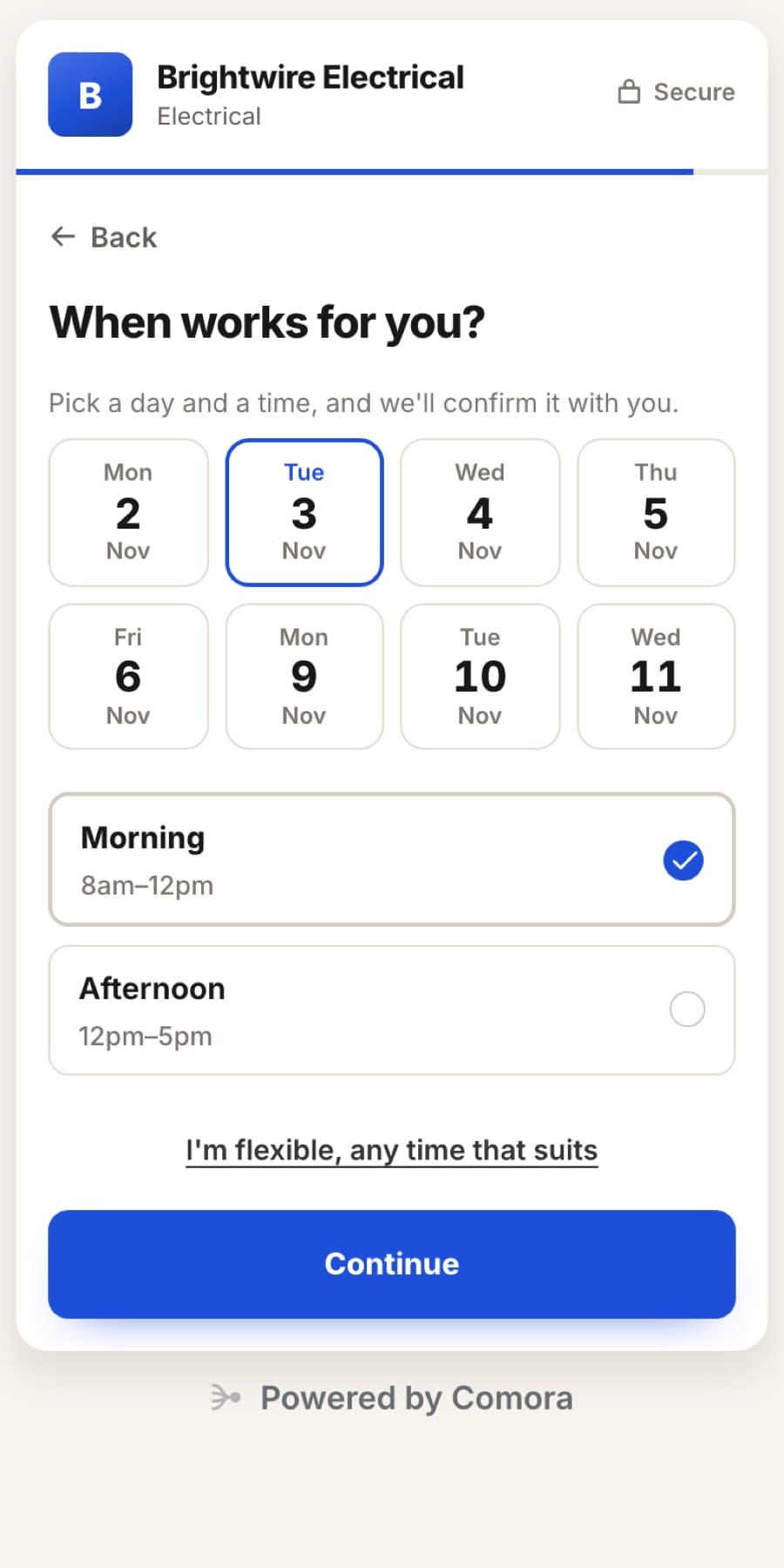
Customers choose a day and a morning or afternoon from your booking hours. Days off never show up, and you lock it in with one tap.
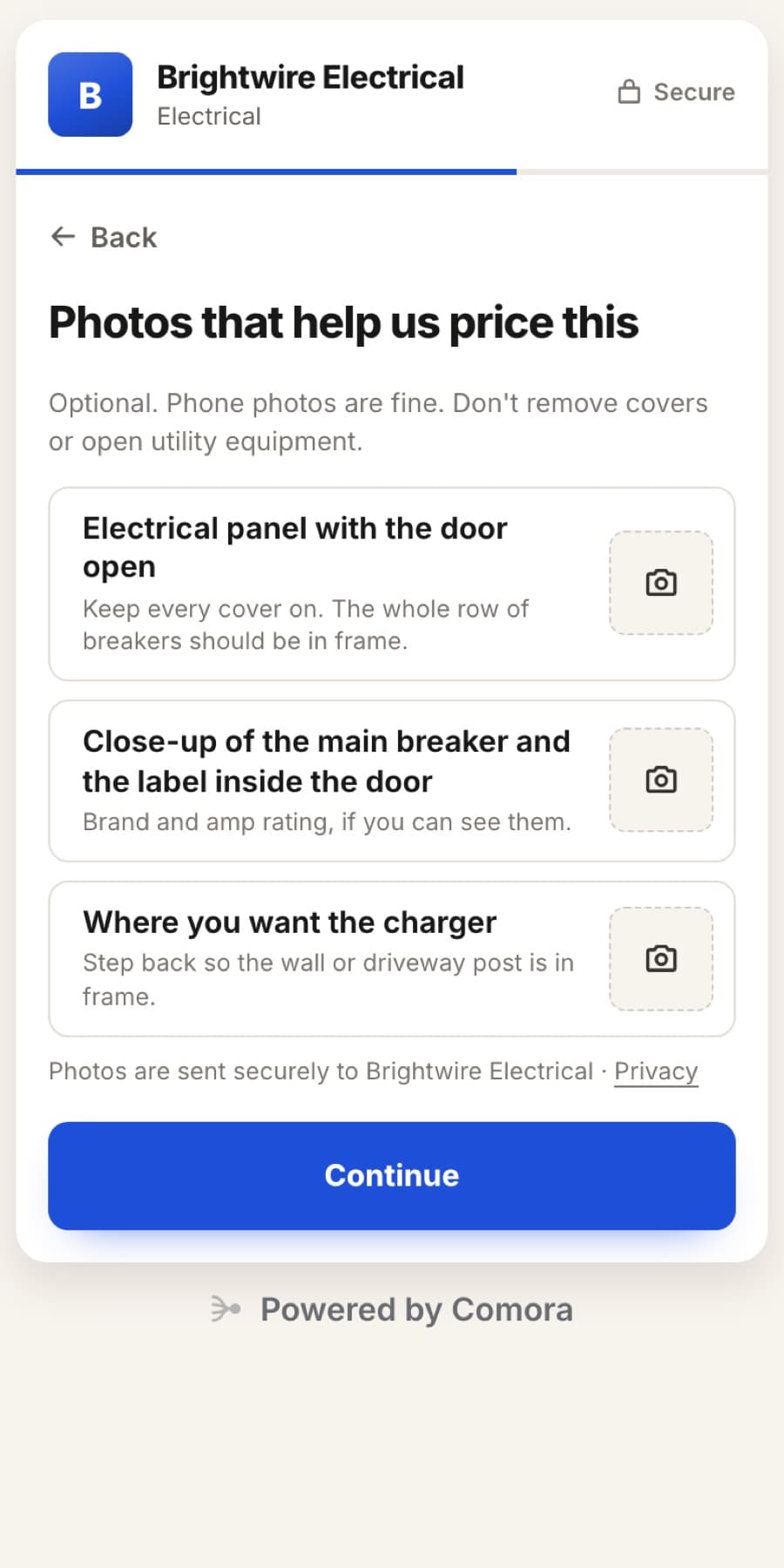
Customers send the panel with the door open, the main breaker label and where the charger goes, before you ever call them back.
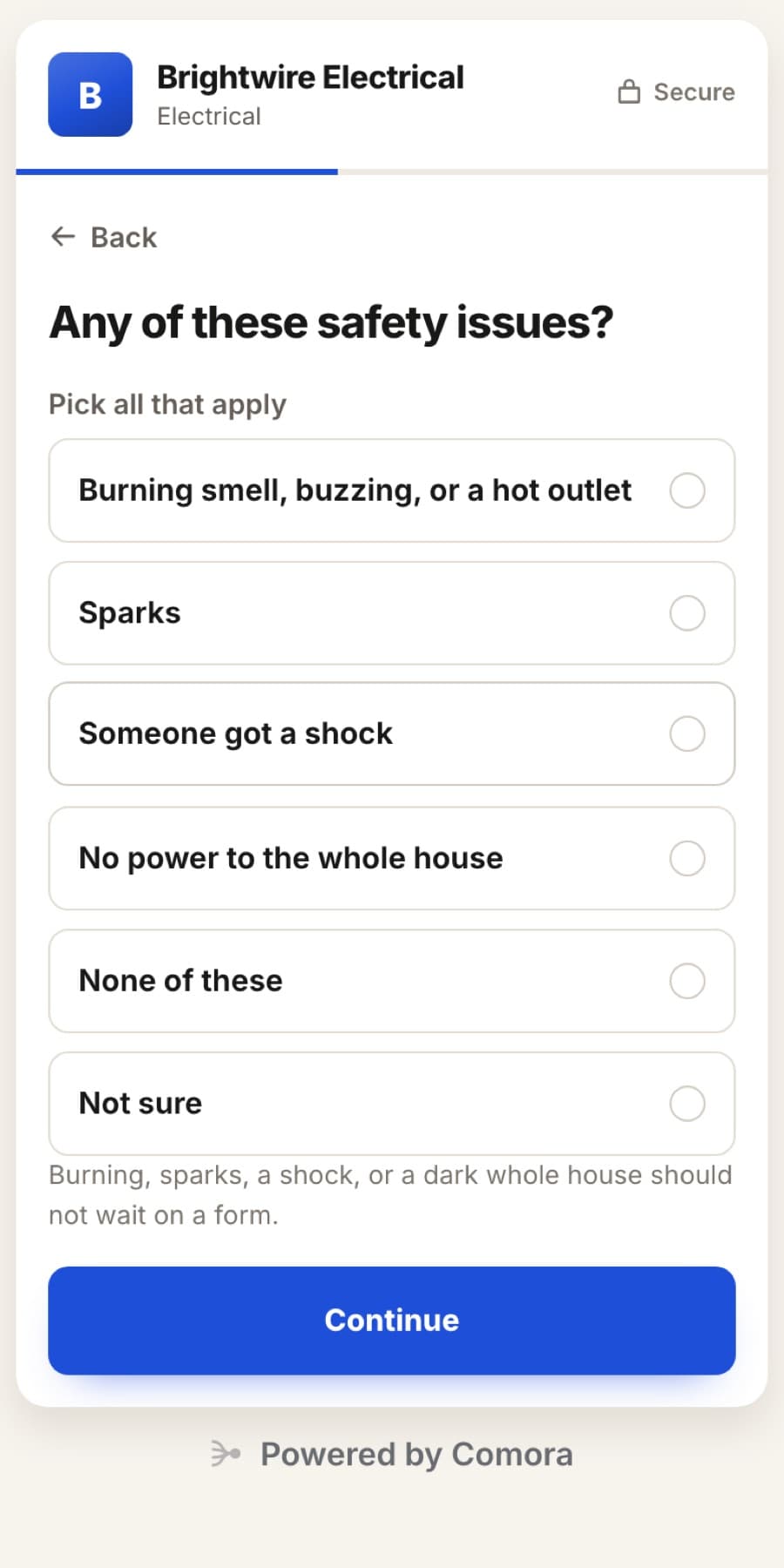
Sparks, a burning smell or a shock stop the form and put a Call now button with your number in front of them.
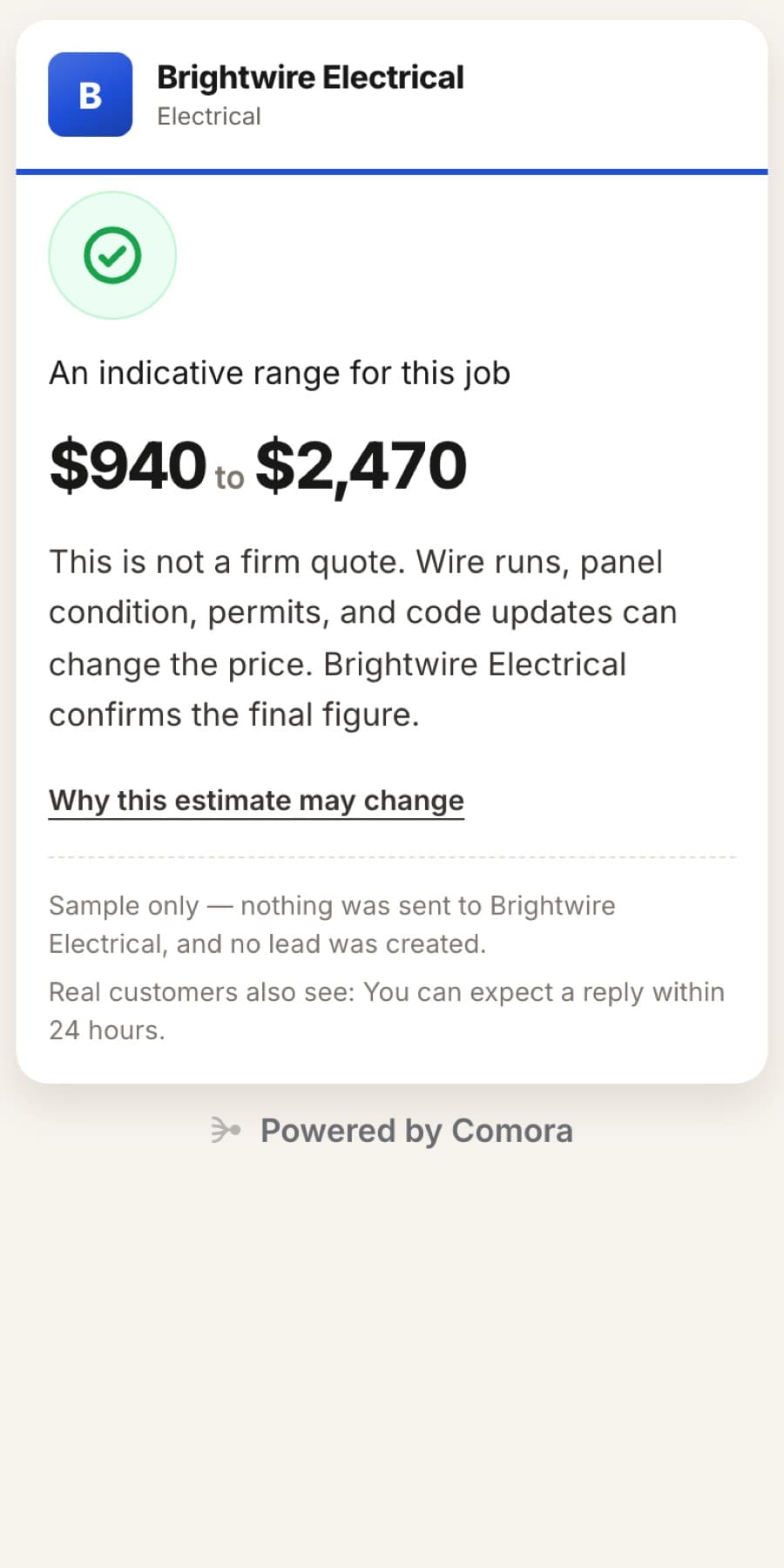
EV chargers and panel upgrades show a price range, so the people who book already know roughly what it costs.
Website pop-out
One line of code adds a floating Book online button to your whole website, with Call and Text buttons beside it. The form opens right on top of the page, so no one leaves your site to book.
<script src="comora.co/embed/your-business.js" data-mode="popup"></script>Google Business Profile
Add your booking form as the Book online link on your Google Business Profile. People who find you on Search and Maps book a job instead of playing phone tag, and you stop losing work to whoever answered first.
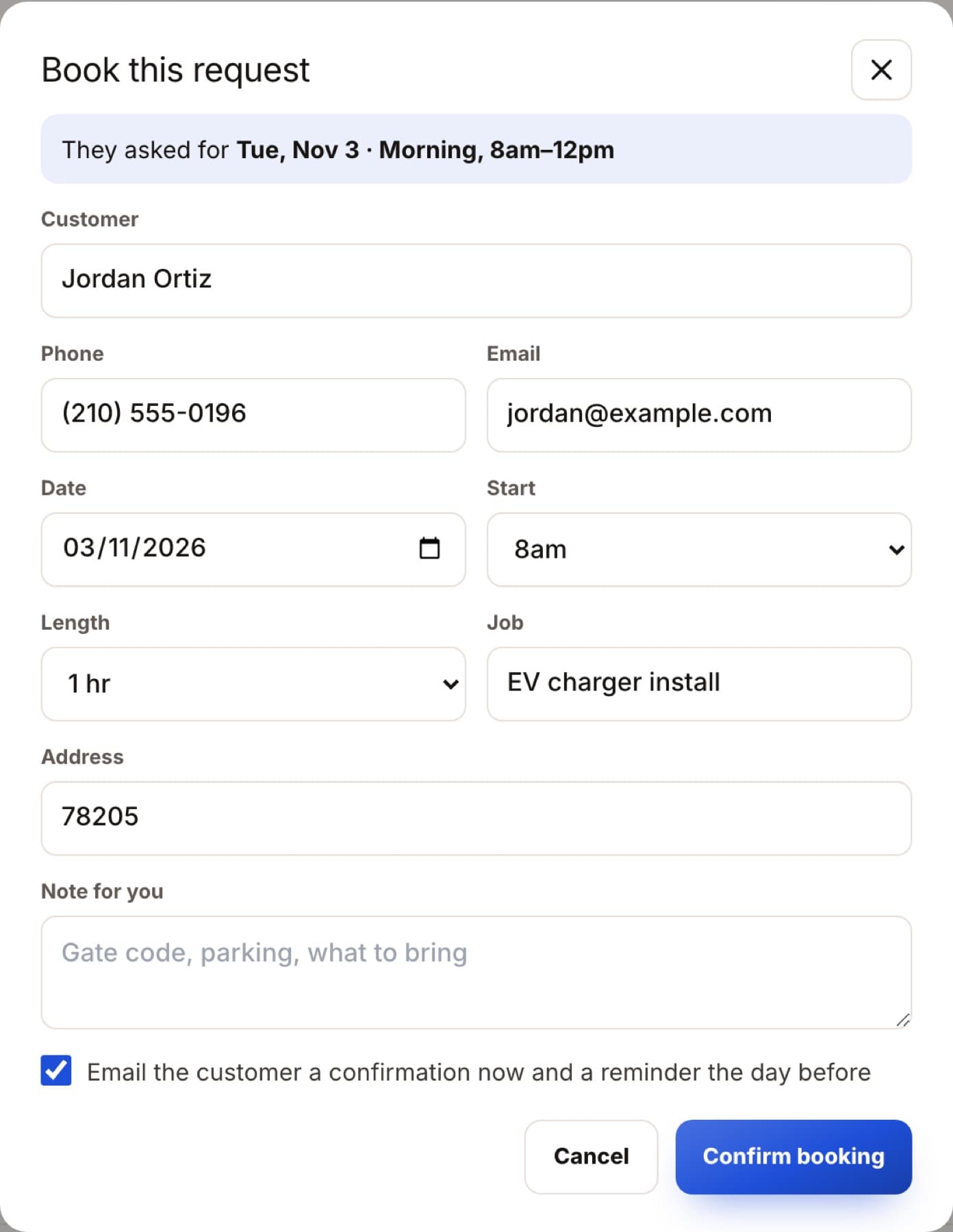
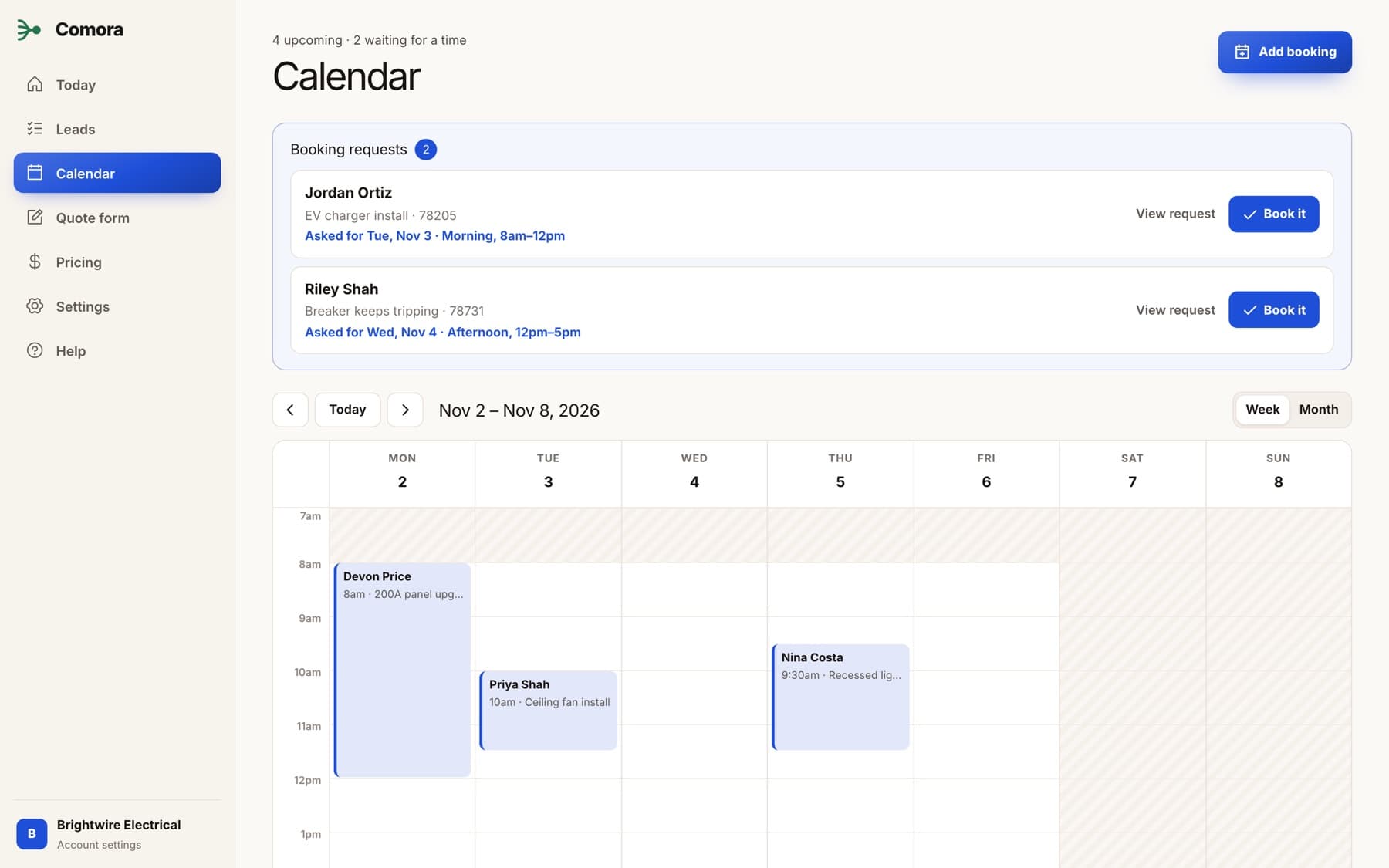
Requests waiting for a time at the top, confirmed jobs on the calendar, and your booking hours shaded in. Book a request in one tap, from the van or the office.
Booking emails
Customers get a confirmation by email the moment you book them, a reminder the day before, and a notice if plans change. Every email comes from your business name, and replies go straight to you.
Google reviews
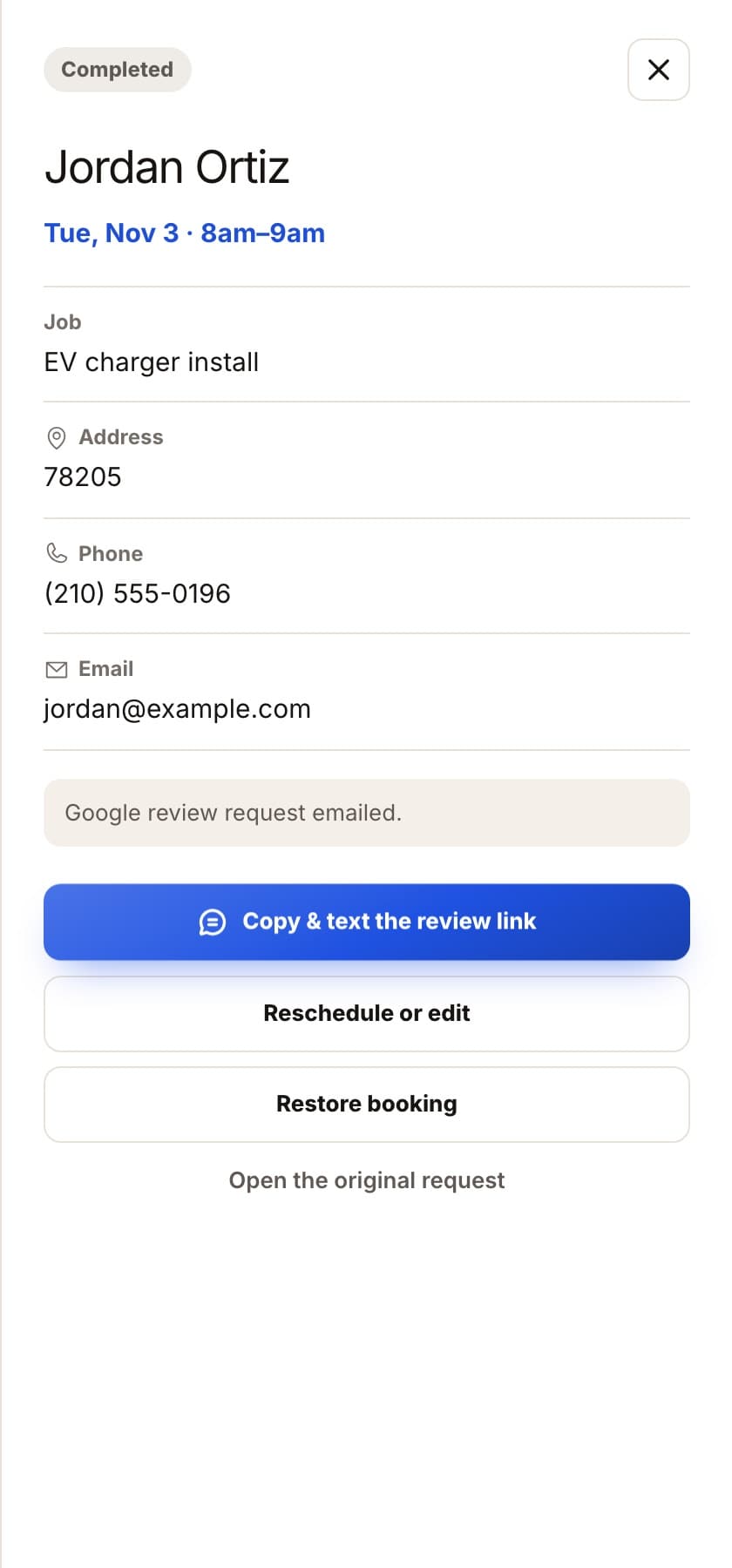
Reviews decide which electrician gets found first. Mark a job done and the customer gets one email with a Leave a Google review button. Or text them the link from your own phone in one tap.
You stay in control
Not every enquiry is a job worth taking. Requests arrive with the job, photos and the time they asked for. Book the ones you want in one tap.
All channels covered
Built for electrical work
Panel size, breaker amps and where the charger goes. Hazards go straight to your phone, so you show up ready.
Done for you
Your name, color, booking hours and jobs, set up before you pay. Try it like a customer, then paste one line.
No setup fee, no contract, no charge per lead. Cancel any time and your link stays yours.
$149/ month
Everything electricians ask before they start getting booked online.
Minutes on your side. We build your booking form from your business details first, with your name, color, hours and the jobs you do. Then you paste one line on your website and add the link to Google. See where you can add it.
You paste one line of code into your site's header or footer settings. It works on Wix, Squarespace, WordPress, Webflow and any site that accepts code. Follow the website steps, or ask us if you get stuck.
Your booking form also lives at its own link. Put it on your Google Business Profile as your booking link, in your text replies and on a QR code on the van.
They pick a day and a morning or afternoon inside your booking hours. You confirm it in one tap and they get a confirmation email, so a job you have not priced never lands in your week.
Yes. Customers who leave an email get a confirmation when you book them, a reminder the day before, and a notice if you cancel. When you mark the job done, they get one email asking for a Google review.
Only for jobs that can be ballparked online, like EV chargers and panel upgrades, and always as a range with a note that you confirm the final price. Everything else arrives with the details you need to price it yourself.
Safety answers like sparks, a burning smell or someone getting a shock stop the form and show a Call now button with your number, so urgent jobs reach you by phone.
It is built for you. The form does the back and forth you would otherwise do on the phone between jobs, and everything works from your phone.
No. Comora gets the customer from your website or Google to a booked job. Keep using whatever you already use to quote and invoice.
We build your booking form for free. Try it like a customer, then decide.
Not an electrician? Booking forms are ready for other trades too. See the trades